|
|
|
**Page author:** @vtemplier @cmoineau
|
|
|
|
|
|
|
|
|
|
|
|
# VSCode debugger for Python/C++ code
|
|
|
|
|
|
|
|
Instead of wasting your time looking at some variables, why not look at them all at once **without having to write an extra line of code**? <br>
|
|
|
|
For that, continue to follow this tutorial to learn how to use a debugger.
|
|
|
|
|
|
|
|
<!--  -->
|
|
|
|
<p align="center">
|
|
|
|
<img src="/groups/eclipse/aidge/-/wikis/_static/debugger/debugger_presentation.png" />
|
|
|
|
</p>
|
|
|
|
|
|
|
|
## Requirements
|
|
|
|
|
|
|
|
For this tutorial, **Visual Studio Code** will be used so be sure to have the newest version of it. <br>
|
|
|
|
|
|
|
|
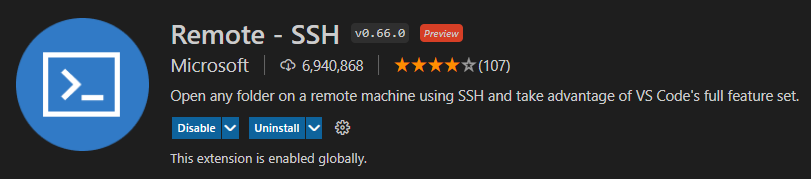
You also need to be in a Linux environment to run the debugger, so if you are debugging on a remote server, we recommand the use of **Remote SSH** extension to connect your workspace via SSH to the servers (find the list here).
|
|
|
|
|
|
|
|
|
|
|
|
|
|
|
|
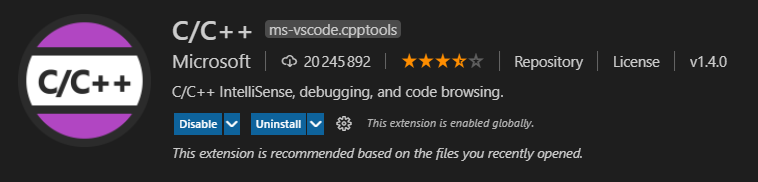
You also need to install the **C/C++** extension to install some packages required to debug on VSCode.
|
|
|
|
|
|
|
|
|
|
|
|
|
|
|
|
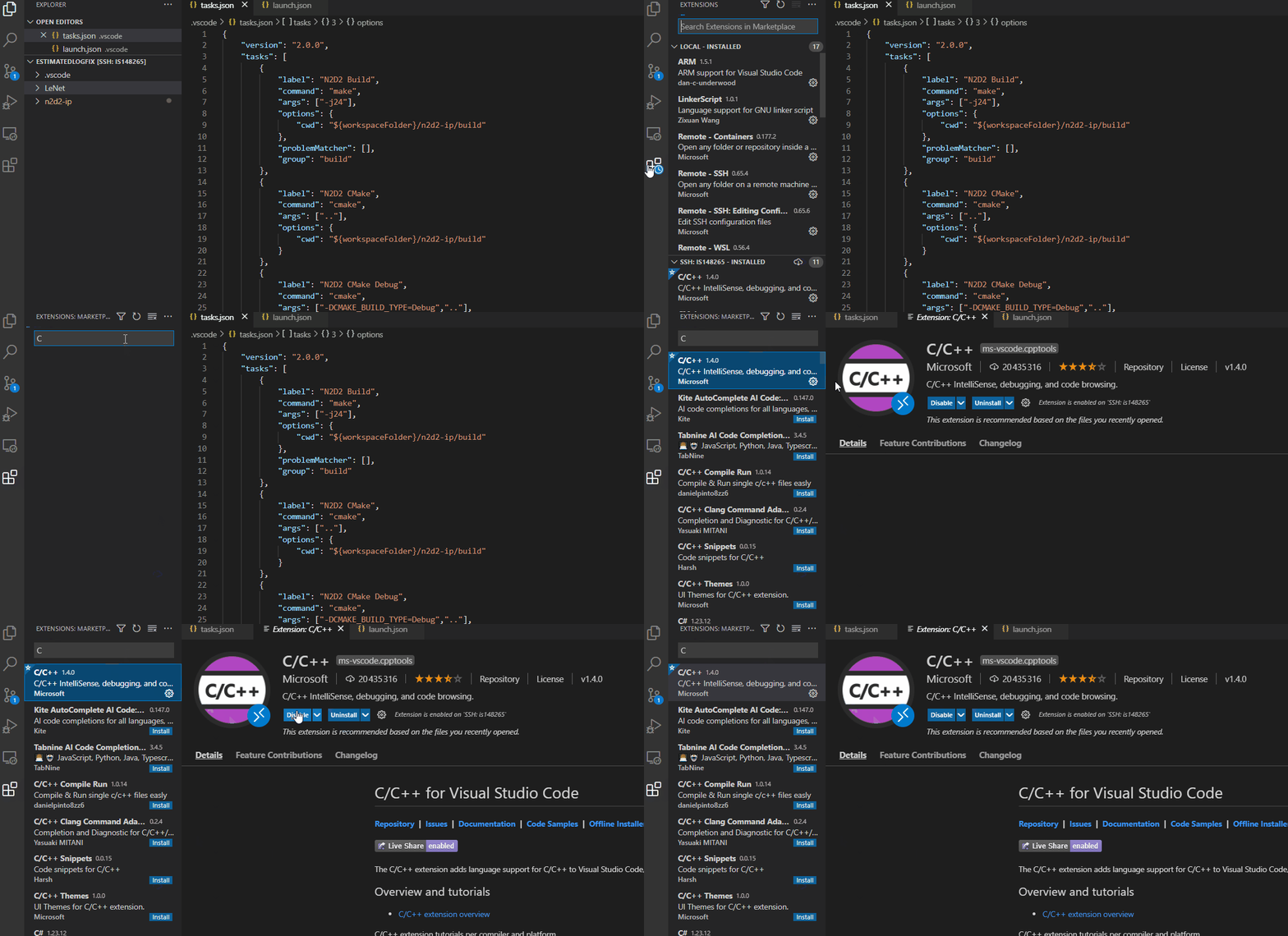
You can find those extensions on the Extension section in VSCode.
|
|
|
|
|
|
|
|
|
|
|
|
|
|
|
|
|
|
|
|
## Before starting to debug
|
|
|
|
|
|
|
|
### Compile the project
|
|
|
|
|
|
|
|
Of course you need to compile your aidge modules before debugging. It is required to debug in a optimization-free environment, so you should compile Aidge with *Debug* option.
|
|
|
|
|
|
|
|
**For C++**, use ``DCMAKE_BUILD_TYPE=Debug`` option.
|
|
|
|
|
|
|
|
|
|
|
|
**For Python**, you need to set the env variable ``AIDGE_BUILD_TYPE`` to ``Debug``:
|
|
|
|
|
|
|
|
> export AIDGE_BUILD_TYPE=Debug
|
|
|
|
|
|
|
|
:warning: It is important to clean your build file to recompile in debug!
|
|
|
|
|
|
|
|
|
|
|
|
### The launch.json file
|
|
|
|
|
|
|
|
To set up the debugger, you need to create a `launch.json` file in the `/.vscode` folder.
|
|
|
|
|
|
|
|
<!--  -->
|
|
|
|
<p align="center">
|
|
|
|
<img src="/groups/eclipse/aidge/-/wikis/_static/debugger/vscode_folder.png" />
|
|
|
|
</p>
|
|
|
|
|
|
|
|
Then, please copy the entire code given below in `launch.json`.
|
|
|
|
|
|
|
|
```json
|
|
|
|
{
|
|
|
|
"version": "0.2.0",
|
|
|
|
"configurations":
|
|
|
|
[
|
|
|
|
{
|
|
|
|
"name": "C++ Aidge Debugger",
|
|
|
|
"type": "cppdbg",
|
|
|
|
"request": "launch",
|
|
|
|
"program": "", // Path to binary
|
|
|
|
"args": [], // Argument to provide (separated by coma)
|
|
|
|
"stopAtEntry": false,
|
|
|
|
"cwd": "", // Path to working directory
|
|
|
|
"environment": [],
|
|
|
|
"externalConsole": false,
|
|
|
|
"MIMode": "gdb",
|
|
|
|
"setupCommands": [
|
|
|
|
{
|
|
|
|
"description": "Enable pretty-printing for gdb",
|
|
|
|
"text": "-enable-pretty-printing",
|
|
|
|
"ignoreFailures": true
|
|
|
|
}
|
|
|
|
]
|
|
|
|
}
|
|
|
|
]
|
|
|
|
}
|
|
|
|
|
|
|
|
```
|
|
|
|
The only parameters that are important to you are `program`, `args` and `cwd`.
|
|
|
|
|
|
|
|
* `program`: indicates to the debugger where is the executable of the project (**Note :** If you want to debug the PythonAPI, you can indicate the path to your python executable `virtualenv/bin/python` instead of the aidge binary, this will allow you to debug C++ code called by Python)
|
|
|
|
|
|
|
|
* `args`: indicates the arguments to the command you want to run (**Note :** If you want to debug the PythonAPI, the first argument should be the path to the script you want to debug)
|
|
|
|
|
|
|
|
* `cwd`: indicates where the debugger has to run the command
|
|
|
|
|
|
|
|
|
|
|
|
## Let's debug !
|
|
|
|
|
|
|
|
To use the debugger, it is important to define the breakpoints you want to use. <br>
|
|
|
|
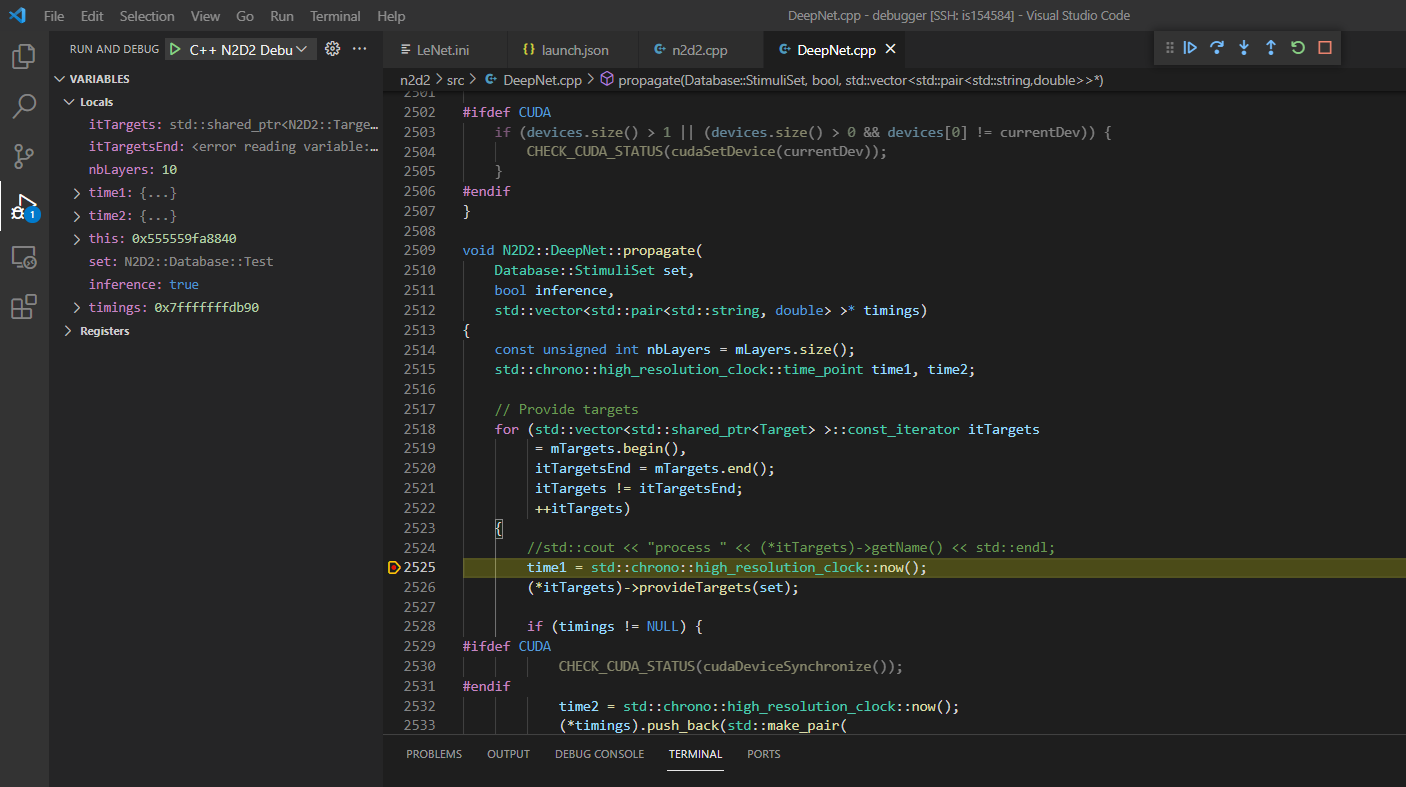
The breakpoints will be necessary to pause the program where you want. Once the program meets a breakpoint, it will provide a view of the local environment.
|
|
|
|
|
|
|
|
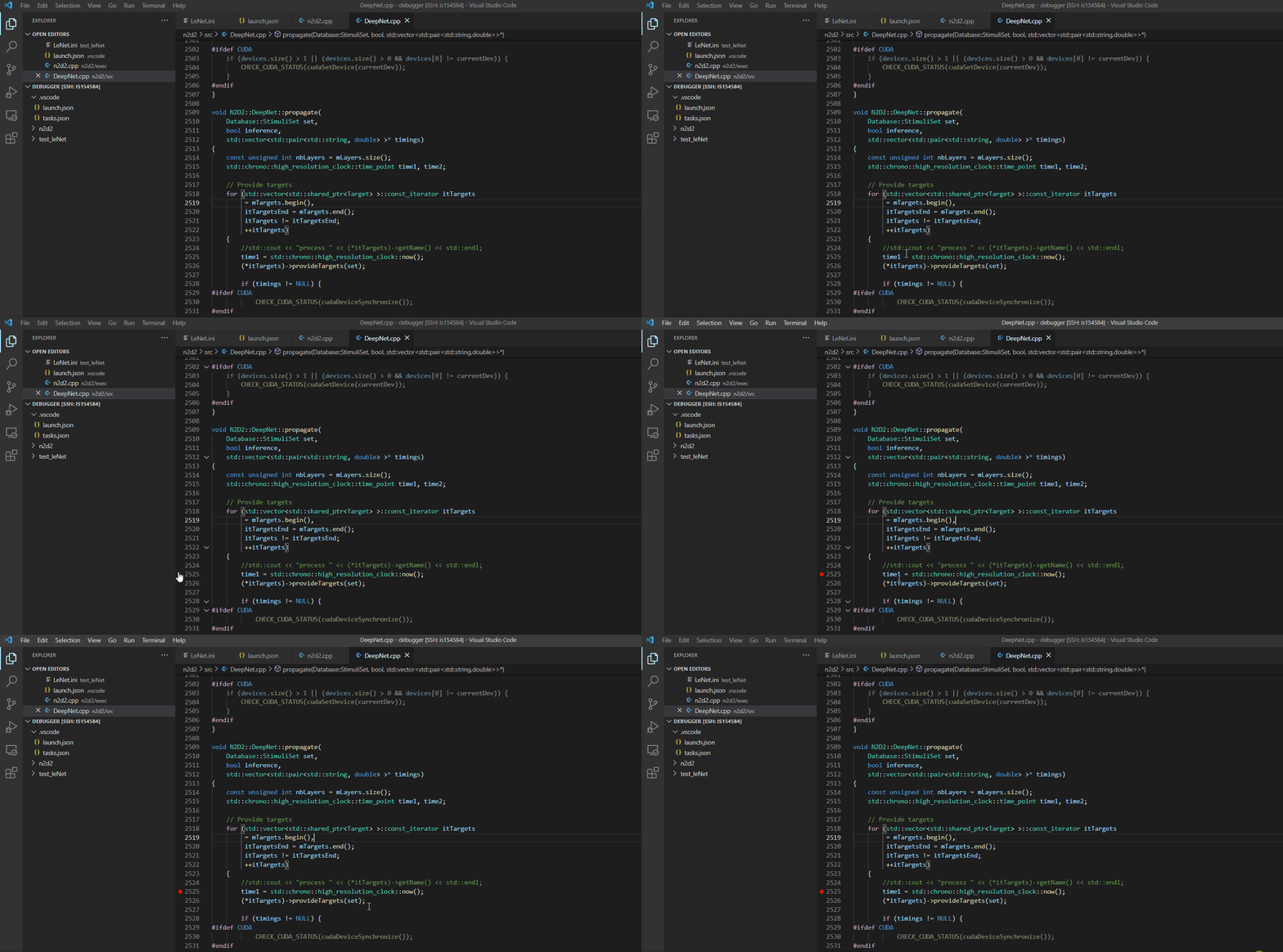
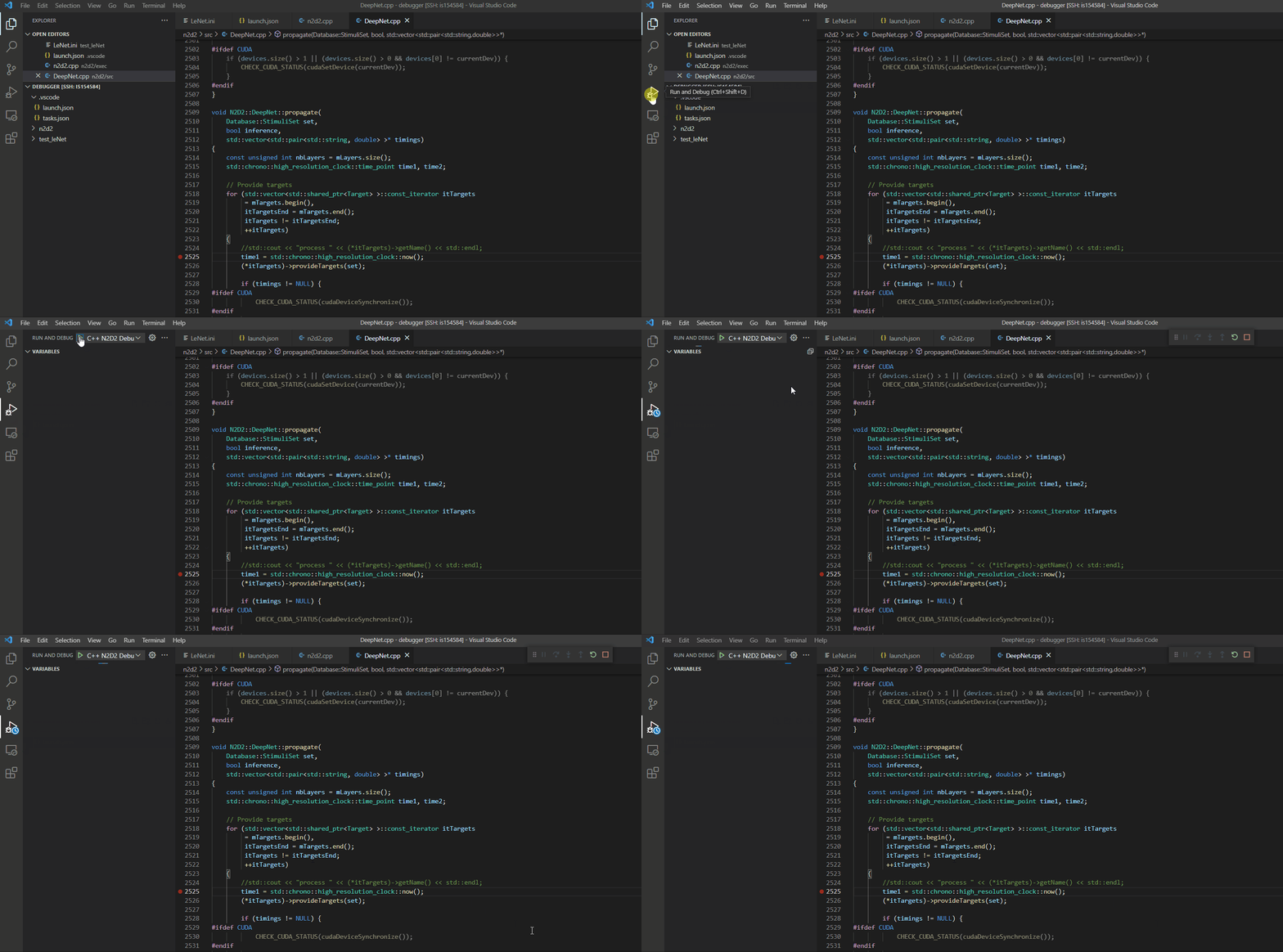
To set up a breakpoint, just click the line where you desire to observe the program behaviour.
|
|
|
|
|
|
|
|
|
|
|
|
|
|
|
|
Then run the debugger.
|
|
|
|
|
|
|
|
|
|
|
|
|
|
|
|
When the program meets the breakpoint, you should observe this view.
|
|
|
|
|
|
|
|
|
|
|
|
|
|
|
|
**Warning : the debugger only displays variables which belong to the observed file** |
